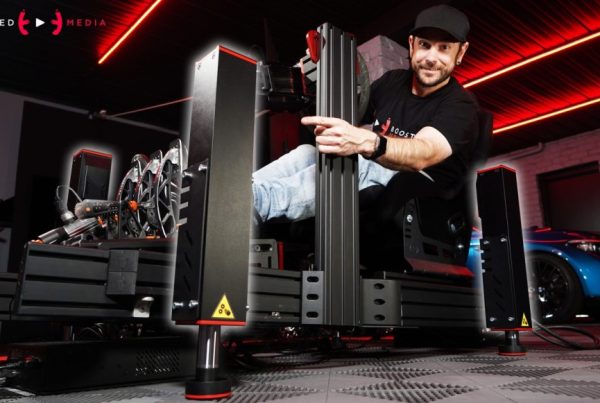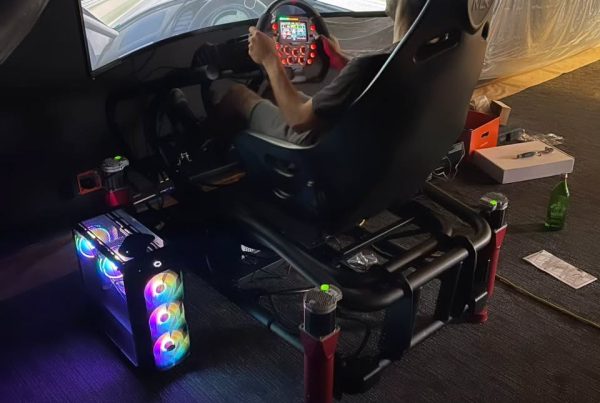


When it comes to SIM racing, immersion is everything. The right display setup can mean the difference between casually gaming and genuinely feeling like you’re strapped into a race car. Some of the most popular SIM titles today — iRacing, Assetto Corsa Competizione, rFactor 2, EA WRC, and Dirt Rally 2.0 — all benefit from a proper display setup.
The three most popular display choices for SIM racing are triple monitors, ultrawide monitors, and virtual reality (VR). Each has passionate supporters, unique strengths, and tradeoffs. But which is right for your racing style? Let’s break it down.
Why Display Choice Matters in SIM Racing
Whether you’re chasing tenths in iRacing, sliding through gravel in EA WRC, or running endurance stints in Assetto Corsa Competizione, your ability to see braking points, apexes, and competitors around you has a direct impact on performance. Displays are not just about immersion — they’re about lap times, consistency, and comfort.
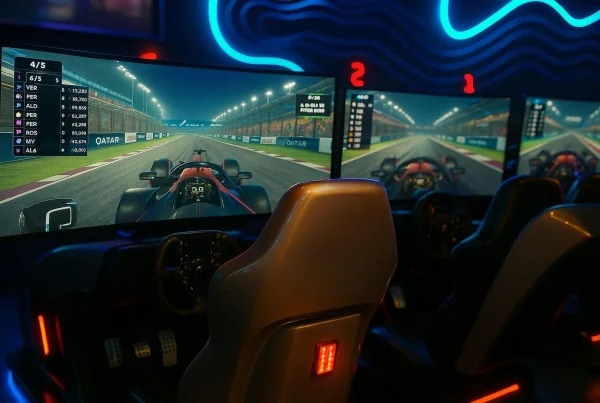
 Triple Monitor Setup for SIM Racing
Pros
- Wide Field of View (FOV): Triple monitors wrap around your vision, giving you the ability to see mirrors, apexes, and cars beside you without needing to constantly pan your view.
- Crisp Visuals: High-end gaming monitors (144Hz–240Hz, 1440p or 4K) offer sharp detail and smooth motion, helping you spot braking markers or curbs more confidently.
- Comfort for Long Sessions: Unlike VR, triple monitors don’t generate heat on your face or cause motion discomfort.
- Multi-Purpose: A triple setup doubles as a workstation for daily use, video editing, or streaming.
Cons
- Space Requirements: Three 27″ or 32″ monitors and a stand take up significant room.
- Cost: Three quality monitors and a rig mount can run $1,000–$2,000+.
- GPU Load: Driving three screens requires a strong graphics card, with a 4070 Ti or 4080 being a common starting point.

Ultrawide Monitors for SIM Racing (45–49” Class)
Ultrawide monitors have become a popular middle ground between triples and VR. Models from LG, Samsung, and MSI offer massive 45–49” curved panels that fill your vision in one seamless display.
Pros
- Immersive Single-Screen Experience: A 49” ultrawide provides a panoramic view close to triple monitors but without bezels breaking up the image.
- OLED Advantages: Many new ultrawides are OLED, offering deep blacks, vibrant colors, and incredible detail — especially impactful during night racing or wet rally stages.
- Easy Setup: No monitor alignment issues; just one display to mount and configure.
- Space Friendly: More compact than a triple monitor wall while still immersive.
Cons
- Slightly Less Peripheral Awareness: Triples still offer a wider side-window view for spotting opponents.
- Cost: OLED ultrawides often cost $1,200–$2,000+.
- GPU Strain: Resolutions like 5120×1440 still demand a high-end GPU (4070 Ti/4080+).
VR Setup for SIM Racing
Pros
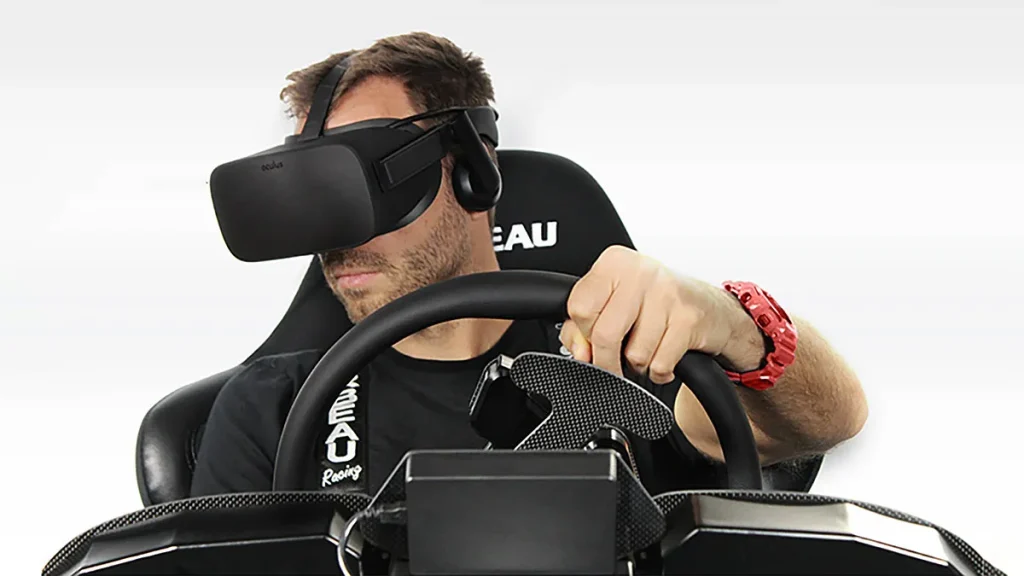
- Maximum Immersion: VR puts you directly in the cockpit, making head movement natural for checking mirrors or looking through corners.
- Compact Setup: No monitor wall needed — perfect if you don’t have a dedicated SIM racing space.
- Next-Level Experience: Rally titles like EA WRC and Dirt Rally 2.0 feel incredible in VR, where terrain changes and elevation become much more lifelike.
- Portable: Easy to move or pack up compared to a fixed triple rig.
Cons
- Visual Clarity: Even high-res headsets don’t match the crisp detail of triples or OLED ultrawides, which can make brake markers or small HUD elements harder to see.
- Performance Demands: VR requires high, consistent frame rates (90+ FPS per eye) — pushing your PC to its limits.
- Comfort Issues: Headset weight, heat, and motion sickness can be problematic during long stints.
- Limited Use: Great for racing, less practical for work or general PC tasks.
Cost Comparison
Triple Monitor Setup
- 3× 27–32” monitors ($250–$500 each)
- Triple stand or rig mount ($300–$500)
- Total: $1,050–$2,000+
Ultrawide Monitor Setup
- 45–49” ultrawide ($1,200–$2,000+)
- Simple desk or rig mount ($100–$300)
- Total: $1,300–$2,300+
VR Setup
- VR Headset (Meta Quest 3, HP Reverb G2, Varjo Aero) $500–$2,000+
- Accessories (headstrap, cushions, lens covers) $50–$200
- Total: $500–$2,200+
Which Should You Choose?
- Triple Monitors → Best for competitive league racing in iRacing, Assetto Corsa Competizione, and rFactor 2 where situational awareness and clarity are critical.
- Ultrawide Monitors → Great for racers who want an easy-to-manage, visually stunning setup with OLED blacks and rich detail, perfect for endurance racing or casual SIM use.
- VR → Ideal for those seeking pure immersion, especially in rally and off-road titles like EA WRC or Dirt Rally 2.0.
Final Thoughts
There’s no universal winner here. Triples give you the sharpest competitive edge, ultrawides deliver stunning visuals with simplicity, and VR provides unmatched immersion. Many SIM racers eventually invest in two setups — monitors for competitive races and VR for hot-lapping or rally fun.
At Sim Racing Works, we help drivers design and build the perfect SIM racing rig — whether you’re going with triple monitors, an ultrawide OLED, VR, or a hybrid setup. Get started here.